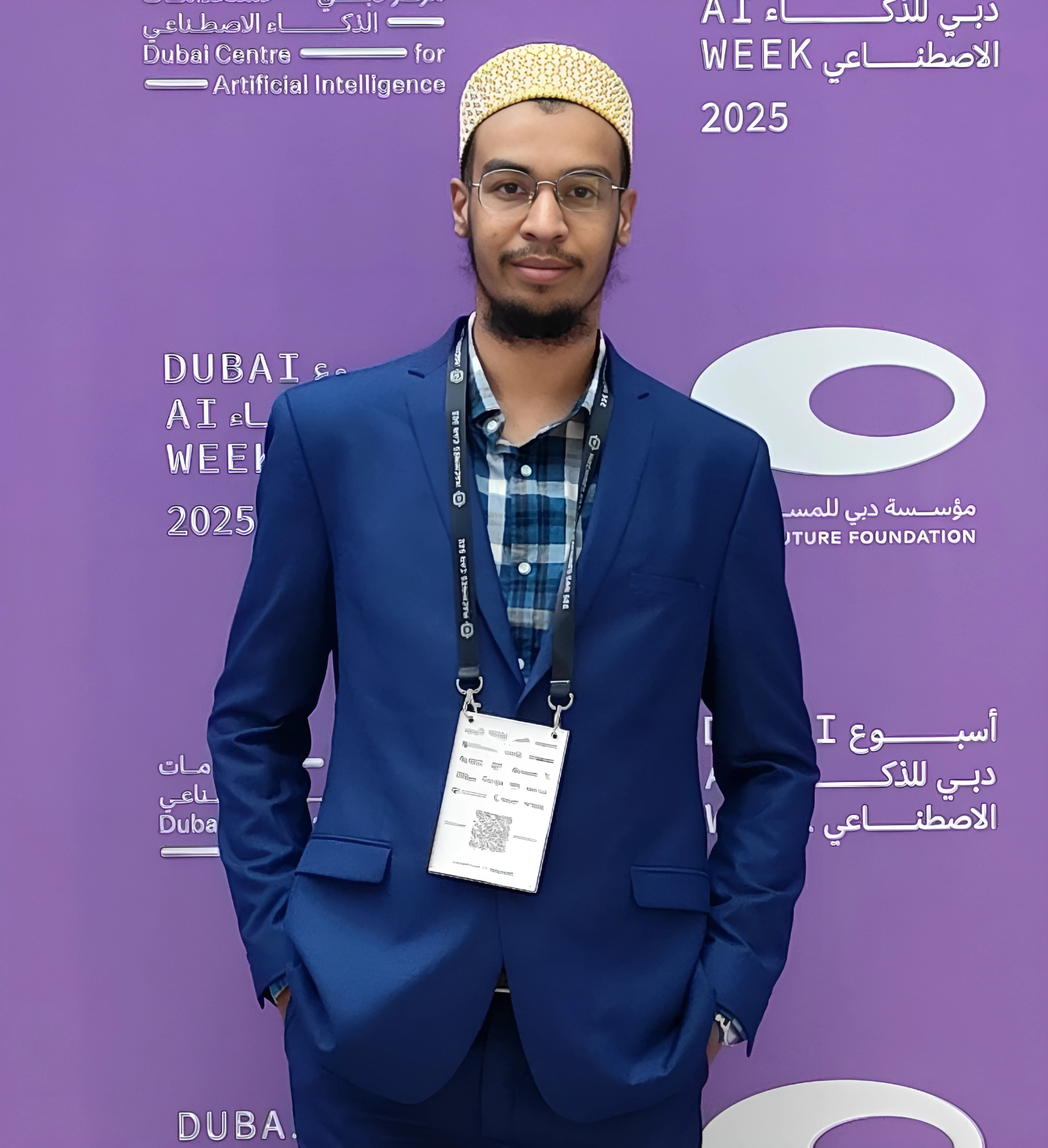
At CleverFlow, I built a RAG (Retrieval Augmented Generation) system that processes over 10,000 documents daily with multimodal analysis capabilities. This system serves multiple enterprise clients with 99.5% uptime and sub-second query response times.
In this guide, I’ll share the real-world architecture, lessons learned, and optimization techniques that can help you build production-grade RAG systems.
What is RAG and Why Does It Matter?
RAG (Retrieval Augmented Generation) combines the power of large language models with external knowledge retrieval. Instead of relying solely on the LLM’s training data, RAG systems:
- Retrieve relevant documents from a knowledge base
- Augment the LLM prompt with retrieved context
- Generate accurate responses based on your specific data
This approach solves key LLM limitations:
- Hallucinations - Reduced by grounding answers in real documents
- Outdated knowledge - Always use latest data without retraining
- Domain specificity - Tailor responses to your business context
Production RAG Architecture Overview
Here’s the high-level architecture we use at CleverFlow:
┌─────────────┐      ┌──────────────┐      ┌─────────────┐
│  Documents  │─────▶│   Chunking   │─────▶│  Embedding  │
│  (10K+)     │      │  & Processing│      │   Model     │
└─────────────┘      └──────────────┘      └─────────────┘
                                                    │
                                                    ▼
                                            ┌──────────────┐
                                            │Vector Database│
                                            │   (Qdrant)   │
                                            └──────────────┘
                                                    │
┌─────────────┐      ┌──────────────┐      ┌─────────────┐
│   User      │─────▶│    Query     │◀─────│  Semantic   │
│   Query     │      │  Processing  │      │   Search    │
└─────────────┘      └──────────────┘      └─────────────┘
                            │
                            ▼
                    ┌──────────────┐
                    │  Re-ranking  │
                    └──────────────┘
                            │
                            ▼
                    ┌──────────────┐      ┌─────────────┐
                    │     LLM      │◀─────│   Redis     │
                    │  (GPT/LLaMA) │      │   Cache     │
                    └──────────────┘      └─────────────┘
                            │
                            ▼
                    ┌──────────────┐
                    │  FastAPI     │
                    │   Response   │
                    └──────────────┘
Step 1: Vector Database Selection
The vector database is the heart of your RAG system. Based on our production experience, here’s what matters:
Qdrant (Our Choice)
- Performance: HNSW indexing provides sub-100ms search on millions of vectors
- Filtering: Powerful metadata filtering narrows search space
- Scalability: Horizontal scaling with collection sharding
- Production-ready: Built-in monitoring and health checks
Alternatives
- Faiss: Great for single-machine deployments, excellent speed
- Pinecone: Managed service, good for quick POCs
- Weaviate: Strong multi-modal capabilities
Key Decision Factors:
# Example: Qdrant setup with optimal settings
from qdrant_client import QdrantClient
from qdrant_client.models import Distance, VectorParams

client = QdrantClient(url="http://localhost:6333")

# Create collection with HNSW index
client.create_collection(
    collection_name="documents",
    vectors_config=VectorParams(
        size=768,  # BGE embedding dimension
        distance=Distance.COSINE,
        on_disk=False  # Keep in memory for speed
    ),
    hnsw_config={
        "m": 16,  # Number of edges per node
        "ef_construct": 100  # Quality vs speed tradeoff
    }
)
Step 2: Embedding Model Selection
We tested multiple embedding models. Here’s what we found:
BGE (BAAI General Embedding) - Our Winner
-
Model:
BAAI/bge-large-en-v1.5 - Dimension: 1024 (we use 768 variant for speed)
- Performance: Best retrieval quality in our domain
- Speed: 50ms latency for batch of 10 queries
Other Strong Candidates
- E5-large: Excellent multilingual support
- OpenAI text-embedding-3: Good but costly at scale
- Sentence-Transformers: Great for custom fine-tuning
Production Tip:
from sentence_transformers import SentenceTransformer

# Load model once at startup
model = SentenceTransformer('BAAI/bge-large-en-v1.5')

# Batch processing for efficiency
def embed_documents(texts: list[str]) -> list[list[float]]:
    return model.encode(
        texts,
        batch_size=32,
        show_progress_bar=False,
        normalize_embeddings=True  # For cosine similarity
    ).tolist()
Step 3: Chunking Strategy
This is where most RAG systems fail. Poor chunking = poor retrieval = poor answers.
Our Production Chunking Approach
We use semantic chunking with sliding windows:
from langchain.text_splitter import RecursiveCharacterTextSplitter

splitter = RecursiveCharacterTextSplitter(
    chunk_size=512,        # Tokens, not characters
    chunk_overlap=50,      # Maintain context
    separators=["\n\n", "\n", ". ", " ", ""],
    length_function=len
)

chunks = splitter.split_text(document_text)
Chunking Rules We Follow
- Size: 512-1024 tokens (matches embedding model context)
- Overlap: 10-20% overlap preserves context across boundaries
- Semantic boundaries: Split on paragraphs, then sentences
- Metadata preservation: Track source document, page number, section
Advanced: Chunk Optimization
We achieved 30% better retrieval with these techniques:
def create_enriched_chunks(document):
    """Add context to chunks for better retrieval"""
    chunks = []

    for i, chunk in enumerate(base_chunks):
        # Prepend document context
        enriched = f"""
        Document: {document.title}
        Section: {document.sections[i]}

        {chunk}
        """

        chunks.append({
            'text': enriched,
            'metadata': {
                'doc_id': document.id,
                'page': document.pages[i],
                'chunk_index': i,
                'total_chunks': len(base_chunks)
            }
        })

    return chunks
Step 4: Hybrid Search Implementation
Pure vector search misses exact matches. We use hybrid search:
def hybrid_search(query: str, top_k: int = 10):
    # 1. Vector search (semantic)
    query_vector = embed_model.encode(query)
    vector_results = qdrant_client.search(
        collection_name="documents",
        query_vector=query_vector,
        limit=top_k
    )

    # 2. Keyword search (BM25)
    keyword_results = bm25_index.search(query, top_k)

    # 3. Fusion (RRF - Reciprocal Rank Fusion)
    combined = reciprocal_rank_fusion(
        [vector_results, keyword_results],
        weights=[0.7, 0.3]  # Favor semantic
    )

    return combined[:top_k]
Result: 20-30% improvement in retrieval accuracy over vector-only search.
Step 5: Re-ranking Layer
Retrieved documents aren’t always in optimal order. Re-ranking fixes this:
from sentence_transformers import CrossEncoder

reranker = CrossEncoder('cross-encoder/ms-marco-MiniLM-L-6-v2')

def rerank_results(query: str, results: list):
    # Score each result with cross-encoder
    pairs = [[query, doc.content] for doc in results]
    scores = reranker.predict(pairs)

    # Sort by scores
    reranked = sorted(
        zip(results, scores),
        key=lambda x: x[1],
        reverse=True
    )

    return [doc for doc, score in reranked]
Step 6: Caching Layer (40% Cost Reduction)
Redis caching was our biggest performance win:
import redis
import hashlib
import json

redis_client = redis.Redis(host='localhost', port=6379)

def cached_rag_query(query: str):
    # Create cache key
    cache_key = f"rag:{hashlib.md5(query.encode()).hexdigest()}"

    # Check cache
    cached = redis_client.get(cache_key)
    if cached:
        return json.loads(cached)

    # Process query
    result = rag_pipeline(query)

    # Cache for 1 hour
    redis_client.setex(
        cache_key,
        3600,
        json.dumps(result)
    )

    return result
Impact:
- 60% faster response times
- 40% lower inference costs
- Better user experience
Step 7: FastAPI Microservice
Production-ready API with proper error handling:
from fastapi import FastAPI, HTTPException
from pydantic import BaseModel
import logging

app = FastAPI(title="RAG API")
logger = logging.getLogger(__name__)

class Query(BaseModel):
    text: str
    top_k: int = 5
    use_cache: bool = True

@app.post("/query")
async def query_documents(query: Query):
    try:
        # Input validation
        if len(query.text) < 10:
            raise HTTPException(400, "Query too short")

        # Process with timeout
        result = await asyncio.wait_for(
            rag_pipeline(query.text, query.top_k),
            timeout=30.0
        )

        return {
            "answer": result.answer,
            "sources": result.sources,
            "confidence": result.confidence
        }

    except asyncio.TimeoutError:
        logger.error(f"Timeout for query: {query.text}")
        raise HTTPException(504, "Query timeout")

    except Exception as e:
        logger.exception("RAG error")
        raise HTTPException(500, str(e))

@app.get("/health")
async def health_check():
    """Health check for monitoring"""
    return {
        "status": "healthy",
        "vector_db": check_qdrant(),
        "llm": check_llm()
    }
Step 8: Docker Deployment
Production containerization:
FROM python:3.11-slim

WORKDIR /app

# Install dependencies
COPY requirements.txt .
RUN pip install --no-cache-dir -r requirements.txt

# Copy application
COPY . .

# Download models at build time
RUN python -c "from sentence_transformers import SentenceTransformer; SentenceTransformer('BAAI/bge-large-en-v1.5')"

# Run
CMD ["uvicorn", "main:app", "--host", "0.0.0.0", "--port", "8000", "--workers", "4"]
Docker Compose for full stack:
version: '3.8'
services:
  qdrant:
    image: qdrant/qdrant:latest
    ports:
      - "6333:6333"
    volumes:
      - ./qdrant_data:/qdrant/storage

  redis:
    image: redis:7-alpine
    ports:
      - "6379:6379"

  rag-api:
    build: .
    ports:
      - "8000:8000"
    environment:
      - QDRANT_URL=http://qdrant:6333
      - REDIS_URL=redis://redis:6379
    depends_on:
      - qdrant
      - redis
Production Metrics We Track
Essential monitoring:
from prometheus_client import Counter, Histogram

# Metrics
query_counter = Counter('rag_queries_total', 'Total queries')
query_duration = Histogram('rag_query_duration_seconds', 'Query latency')
cache_hits = Counter('rag_cache_hits_total', 'Cache hits')

@query_duration.time()
def process_query(query: str):
    query_counter.inc()

    # Check cache
    if cached_result := get_from_cache(query):
        cache_hits.inc()
        return cached_result

    # Process
    return rag_pipeline(query)
Our Production Stats:
- Uptime: 99.5%
- P95 Latency: 850ms
- Cache Hit Rate: 42%
- Daily Queries: 50,000+
- Documents Indexed: 10,000+
Optimization Techniques That Worked
1. Batch Processing
Process documents in batches of 100 for 3x faster indexing.
2. Async Processing
Use asyncio for concurrent LLM calls - 2x throughput improvement.
3. Model Quantization
4-bit quantization reduced memory by 75% with minimal accuracy loss.
4. Connection Pooling
Reuse database connections - 40% latency reduction.
5. Prompt Optimization
Shorter, focused prompts reduced tokens by 30%, cutting costs.
Common Pitfalls to Avoid
- Too large chunks - LLMs lose focus beyond 1000 tokens
- No metadata filtering - Wastes time retrieving irrelevant docs
- Single vector search - Misses exact keyword matches
- No caching - Paying for same query repeatedly
- Synchronous processing - Can’t scale under load
- Poor error handling - System crashes on edge cases
- No monitoring - Can’t optimize what you don’t measure
Cost Optimization
Our monthly costs for 50K queries:
- Qdrant Cloud: $150 (2GB RAM, 10M vectors)
- OpenAI API: $200 (with caching: was $500)
- Redis: $20 (managed instance)
- Compute: $100 (2x CPU instances)
Total: ~$470/month for production RAG
Next Steps and Advanced Topics
Once you have a basic RAG system, consider:
- Multi-modal RAG - Images, tables, charts
- Agentic RAG - LLM decides which tools to use
- Fine-tuned embeddings - Domain-specific embedding models
- Query rewriting - Improve retrieval with query expansion
- Feedback loops - User ratings improve retrieval over time
Conclusion
Building production RAG systems is an iterative process. Our system at CleverFlow took 3 months to reach production quality, processing 10,000+ documents with 99.5% uptime.
Key Takeaways:
- Vector database choice matters - Qdrant scales well
- Chunking is critical - Semantic chunking beats fixed-size
- Hybrid search wins - Combine vector + keyword
- Cache aggressively - 40% cost savings
- Monitor everything - Can’t optimize blindly
- Iterate based on data - User feedback drives improvements
The architecture I shared here is battle-tested and serves enterprise clients reliably. Start with the basics, measure performance, and optimize bottlenecks.
Tools and Technologies Used
- LangChain - RAG orchestration
- Qdrant - Vector database
- FastAPI - API framework
- Redis - Caching layer
- Docker - Containerization
- PyTorch - Model inference
- Sentence Transformers - Embeddings
Connect With Me
Building RAG systems? Have questions? Let’s connect:
- GitHub: github.com/huzaifa525
- LinkedIn: linkedin.com/in/huzefanalkheda
- HuggingFace: huggingface.co/huzaifa525
Have you built RAG systems? What challenges did you face? Share your experience in the comments or reach out - I’d love to hear your story!